
Asus ZenBook Flip S Evo
An Intel Evo-certified convertible that combines striking 4K OLED visuals and sleek portability, but compromises battery life and thermal performance for premium aesthetics.
Updated January 28, 2026
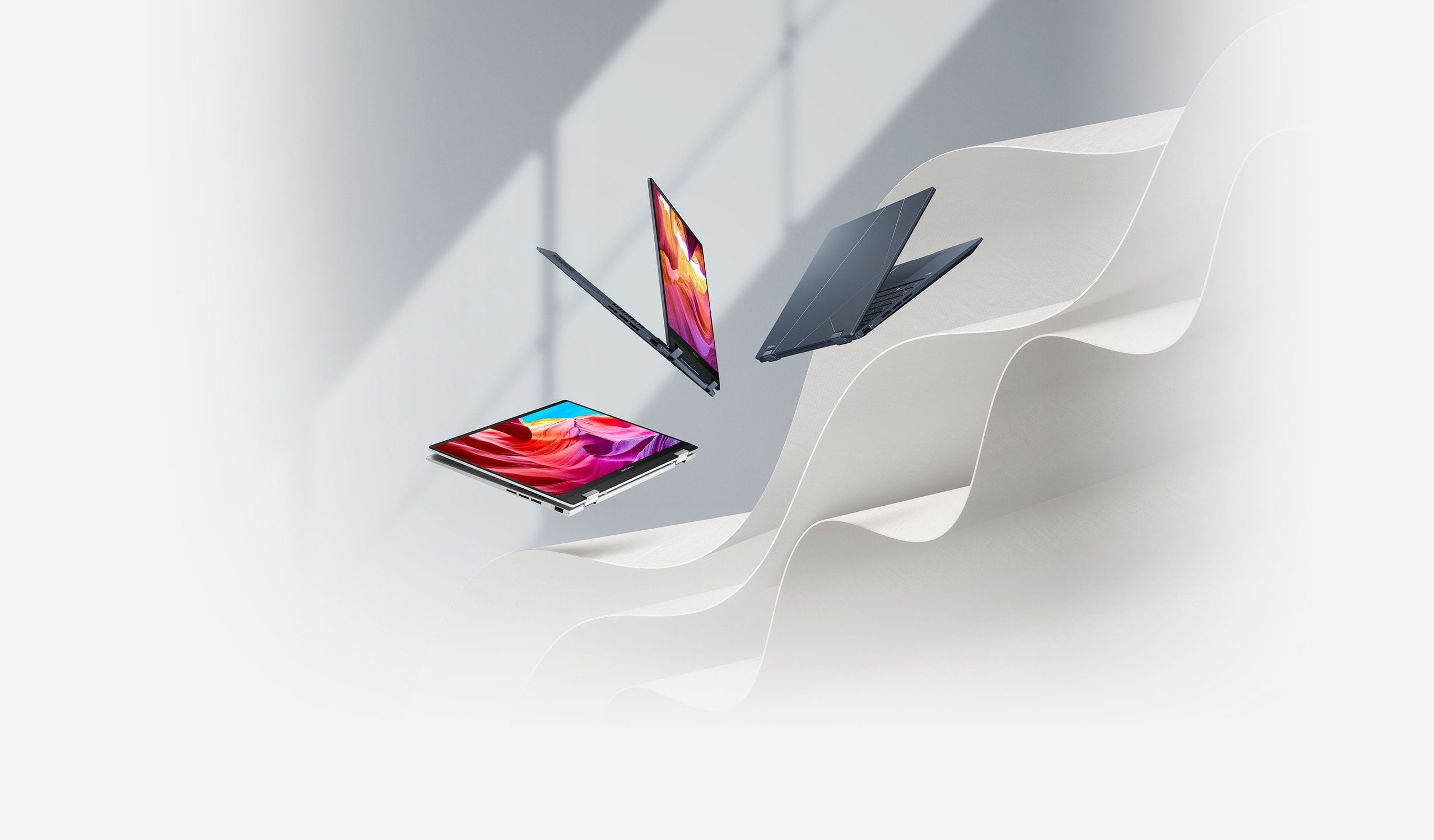
The Asus ZenBook Flip S Evo represents one of the first Intel Evo-certified convertibles featuring 11th Gen Tiger Lake processors and Thunderbolt 4 connectivity. This 2-in-1 ultrabook delivers exceptional color accuracy through its 4K OLED touchscreen and maintains an impressively lightweight 1.2kg chassis. However, the premium display technology demands substantial power, resulting in below-average battery endurance that falls short of competing systems. Professional reviewers praised its sophisticated design language and solid everyday performance, while consumers consistently highlighted the vivid screen quality but noted concerns about thermal management and hinge stiffness. The system targets mobile professionals and content creators who prioritize visual fidelity and portability over marathon battery sessions.[1][2][3][4][5][6][7]
Pros
- Exceptional 4K OLED display delivers 113.1% DCI-P3 color gamut coverage with stunning visual quality
- Ultra-portable design at just 1.2kg with premium aluminum construction and ErgoLift hinge
- Intel Evo certification ensures Thunderbolt 4, Wi-Fi 6, instant wake, and fast charging capabilities
- Impressive file transfer speeds reaching 1,296.2 MB/s on the 1TB PCIe SSD
- Comfortable keyboard with good feedback and innovative NumberPad 2.0 integrated touchpad
Cons
- Below-average battery life at 7-8 hours, significantly trailing competitors with standard displays
- Noticeable thermal issues with bottom temperatures exceeding 100°F under sustained load
- Thick display bezels compared to Dell and HP premium offerings
- No headphone jack, forcing reliance on Bluetooth or USB-C adapters
- Stiff hinge mechanism makes one-handed opening difficult
The Asus ZenBook Flip S Evo represents one of the first Intel Evo-certified convertibles featuring 11th Gen Tiger Lake processors and Thunderbolt 4 connectivity. This 2-in-1 ultrabook delivers exceptional color accuracy through its 4K OLED touchscreen and maintains an impressively lightweight 1.2kg chassis. However, the premium display technology demands substantial power, resulting in below-average battery endurance that falls short of competing systems. Professional reviewers praised its sophisticated design language and solid everyday performance, while consumers consistently highlighted the vivid screen quality but noted concerns about thermal management and hinge stiffness. The system targets mobile professionals and content creators who prioritize visual fidelity and portability over marathon battery sessions.[1][2][3][4][5][6][7]
Design and Build Quality
The ZenBook Flip S Evo showcases Asus's premium design philosophy through its all-aluminum unibody construction finished in Jade Black with copper accent highlights. The signature concentric ring pattern on the lid radiates from the centered Asus logo, while diamond-cut copper-trimmed edges catch ambient light for visual impact. At just 1.2kg and measuring 0.6 inches thin, this convertible achieves exceptional portability without compromising structural integrity.[4][1]
The 360-degree hinge mechanism enables smooth transitions between laptop, tablet, tent, and presentation modes, complemented by Asus's ErgoLift design that elevates the keyboard deck 3 degrees when opened for improved typing ergonomics and airflow. However, the hinges present a notable usability challenge, requiring two hands to open due to excessive stiffness. Multiple users reported that the laptop doesn't close completely flat in tablet mode, leaving a small gap that flexes under pressure.[7][9][3][1]
The chassis attracts fingerprints aggressively on both the glossy lid and matte keyboard deck, requiring frequent cleaning to maintain its premium appearance. Display bezels remain notably thick compared to contemporary Dell and HP offerings, with a particularly prominent bottom chin embossed with the ZenBook logo. The keyboard sits in a recessed deck with copper-lettered keys, while the expansive glass touchpad measures 5.1 x 2.6 inches and integrates the NumberPad 2.0 LED numpad functionality.[7][1]
Performance in Real Use
Equipped with Intel's 11th Gen Core i7-1165G7 Tiger Lake processor and 16GB LPDDR4X-4267MHz RAM, the ZenBook Flip S handles typical productivity workloads competently. Real-world testing with 30 concurrent Chrome tabs running multiple streaming services alongside professional applications demonstrated smooth multitasking without perceptible lag. The system met Intel Evo certification requirements, delivering consistent responsiveness on battery power and sub-1-second wake times from sleep.[2][5][1]
However, synthetic benchmark results revealed underwhelming performance compared to predecessor Ice Lake systems. The Geekbench 5.0 score of 3,880 fell short of the 4,017 premium laptop average, trailing both the Dell XPS 13 (4,648) and HP Spectre x360 (4,074) equipped with older 10th Gen processors. Video transcoding tasks took 22 minutes to convert 4K footage to 1080p, slower than the 18:48 category average and significantly behind competing systems.[1]
Storage performance provided redemption, with the 1TB PCIe Gen 3 SSD achieving exceptional 1,296.2 MB/s transfer speeds that crushed the 723.2 MB/s average and outpaced both the XPS 13 (642.5 MB/s) and Spectre x360 (312.2 MB/s). The Intel Iris Xe integrated graphics showed modest improvement over previous generation Intel GPUs, scoring 3,351 on 3DMark Fire Strike, but gaming remained marginal with Control running at just 17 fps on low settings at 1080p. Lighter titles like Hades achieved playable 32 fps performance.[1]
Ease of Use
The island-style keyboard delivers satisfying tactile feedback with generous key spacing and copper backlighting that remains visible in darkened environments. Typing tests confirmed comfortable sustained use at typical 70 wpm speeds without adaptation period. The NumberPad 2.0 touchpad innovation provides dual functionality, toggling between standard precision touchpad and LED-illuminated numeric keypad with calculator access via the upper-right icon.[1]
While conceptually clever, the NumberPad implementation suffers from oversensitivity, with multiple users reporting unintentional activation during regular touchpad use. The touchpad otherwise executes Windows 10 multitouch gestures smoothly, including pinch-zoom, two-finger scrolling, and three-finger tap commands. Port selection favors modern connectivity with two Thunderbolt 4 ports, one USB 3.2 Gen 1 Type-A, and full-size HDMI 1.4, but controversially eliminates the 3.5mm headphone jack entirely.[3][1]
The 4K OLED touchscreen responds accurately to 10-point multitouch input and stylus interaction, though Asus includes the stylus in select markets only. The MyAsus software hub provides centralized control for display settings, battery management, system diagnostics, and the ClearVoice Mic ambient noise filtering across four modes. Bottom-mounted speakers deliver surprisingly robust audio that fills small rooms without muffling when lap-placed, benefiting from DTS Audio Processing with optimized Music, Movies, and Games presets.[4][1]
Reliability
User experiences with long-term reliability present mixed results. Best Buy reviewers noted instances of hardware and software problems emerging within the first month of ownership, requiring warranty service through Asus. One documented case involved persistent issues after repair, compounded by missing accessories upon return. The thermal design raises durability concerns, with the system exceeding the 95-degree Fahrenheit comfort threshold by reaching 100 degrees on the bottom panel during sustained video playback.[3][1]
The cooling architecture employs thermal tape over intake vents rather than traditional open grills, potentially to maintain cooling effectiveness when used in tablet mode with the screen folded over the intakes. However, this design choice may restrict airflow and contribute to elevated operating temperatures under load. The 67Wh battery supports 65W USB-C fast charging that provides quick power restoration, though users noted that intermittent daily use still required midday charging to complete a full workday.[9][4][3]
Screen uniformity issues emerged in some units, with visible color temperature variations showing yellow tinting on the left and pink hues on the right side of the display. The OLED panel's advertised 550-nit peak brightness applies only to small bright spots in HDR content, with regular sustained brightness measuring closer to 350-400 nits during typical use. Windows Hello facial recognition through the 720p webcam functions reliably with improved exposure algorithms that deliver better-than-average image quality for video conferencing.[13][9][1]
Use Cases
The ZenBook Flip S Evo targets mobile professionals requiring exceptional color accuracy for photo editing, graphic design, and video work. The OLED display's 113.1% DCI-P3 gamut coverage surpasses the 83.5% premium laptop average and dramatically outperforms competing IPS panels in the XPS 13 (81.3%), MacBook Pro (80.9%), and Spectre x360 (77.4%). Creative professionals working with color-critical applications benefit from the wide gamut and Splendid utility presets including Normal, Vivid, Manual, and Eye Care modes.[1]
Business travelers prioritize the ultraportable 1.2kg weight and compact 13.3-inch footprint for airline tray table use and daily commuting. The Intel Evo certification ensures Thunderbolt 4 compatibility for high-speed external storage, dual 4K display output, or single 8K monitor connectivity - valuable for professionals requiring flexible workstation configurations. Students and casual users appreciate the 2-in-1 versatility for consuming media in tent mode and light tablet use for note-taking, though the 13.3-inch size and 2.7-pound weight make extended tablet sessions cumbersome.[10][4][3][1]
Content creators working within reach of power outlets can leverage the fast-charging 65W USB-C adapter to minimize downtime, though the 7-8 hour battery life limits untethered productivity compared to competitors achieving 10-13 hours. The system proves less suitable for sustained gaming, data science workloads requiring sustained CPU performance, or scenarios demanding true all-day battery operation away from charging infrastructure.[6][1]
Long-Term Ownership Feedback
Extended user experiences reveal that the ZenBook Flip S serves reliably as a daily productivity workhorse for lightweight computing tasks, with owners praising the "dazzling" OLED display quality even months after purchase. The compact form factor remains a consistently appreciated attribute for frequent travelers who value the space savings in bags and backpacks. Users replacing older ZenBook models noted significant performance improvements in photo editing applications like Lightroom and CAD software such as SolidWorks.[3]
However, long-term satisfaction depends heavily on use patterns aligning with the system's strengths. Owners who initially prioritized the convertible functionality often found they rarely utilized tablet mode due to the awkward weight distribution and hinge gap issue. The glossy surfaces' fingerprint retention became an ongoing annoyance requiring habitual cleaning cloths. Some users adapted to the missing headphone jack through Bluetooth audio, while others expressed continued frustration with the need for dongles or USB-C adapters.[7][3][1]
The NumberPad touchpad feature received polarized feedback, with accountants and data-entry professionals finding genuine utility while casual users disabled it to prevent accidental activation. Battery degradation concerns typical of OLED-equipped systems haven't materialized in early ownership periods, though the power-hungry display limits operational flexibility regardless of battery health. Overall owner sentiment suggests the ZenBook Flip S excels as a premium secondary device or specialized tool for color-critical work, but compromises in thermal design, battery endurance, and ergonomic refinement prevent it from achieving universal daily driver status for demanding professionals.[6][7][3][1]
| Specification | Details |
|---|---|
| Processor | Intel Core i7-1165G7 (11th Gen, 2.8GHz base, 4.7GHz max turbo) [1][5] |
| Graphics | Intel Iris Xe integrated graphics [1][5] |
| Display | 13.3-inch 4K OLED touchscreen (3840 x 2160) [1][5] |
| Memory | 16GB LPDDR4X-4267MHz [1][5] |
| Storage | 1TB PCIe Gen 3 NVMe SSD [1][5] |
| Battery | 67Wh with 65W USB-C fast charging [4] |
| Ports | 2x Thunderbolt 4, 1x USB 3.2 Gen 1 Type-A, 1x HDMI 1.4 [1] |
| Connectivity | Wi-Fi 6, Bluetooth [8][4] |
| Weight | 1.2kg (2.7 pounds) [4][1] |
| Dimensions | 12 x 8.3 x 0.6 inches [1] |
| Materials | Aluminum unibody with Jade Black finish and copper accents [1] |
| Webcam | 720p HD with Windows Hello support [1] |
| Operating System | Windows 10 (upgradeable to Windows 11) [1] |
| Certification | Intel Evo Platform certified [8][2] |
Buy
- You need exceptional color accuracy for photo editing, video work, or creative applications requiring wide gamut coverage[1]
- Portability is paramount and you value a lightweight convertible under 3 pounds with tablet flexibility[4][1]
- You require Thunderbolt 4 connectivity and Intel Evo platform benefits for fast data transfer and peripheral support[2][8](https://hardwarecanucks.com otebooks/asus-zenbook-flip-s-review/)
- Your workflow involves frequent number entry and you'll benefit from the integrated NumberPad touchpad[1]
- You primarily work near power sources and can accommodate midday charging[6]
Skip
- You need all-day battery life for extended travel or remote work without reliable charging access[6][1]
- You rely on wired headphones and require a 3.5mm audio jack[1]
- You plan extensive tablet mode usage, as the hinge doesn't provide ideal stability when folded[9][7]
- Thermal comfort is critical and you frequently use the device on your lap for extended periods[1]
- You need consistent high-performance benchmarks, as Tiger Lake results were mixed against competitors[1]
Critic Reviews
No reviews yet.
User Reviews
No reviews yet.