
TP-Link Archer GX90 Review: The Tri-Band Powerhouse That Tames Latency Without Breaking Your Network
Forget lag spikes and bandwidth brawls. The TP-Link Archer GX90 carves out a dedicated 4.8 Gbps lane specifically for your gaming rig, ensuring your competitive edge remains razor-sharp while the rest of the house streams in 4K.
Updated February 8, 2026
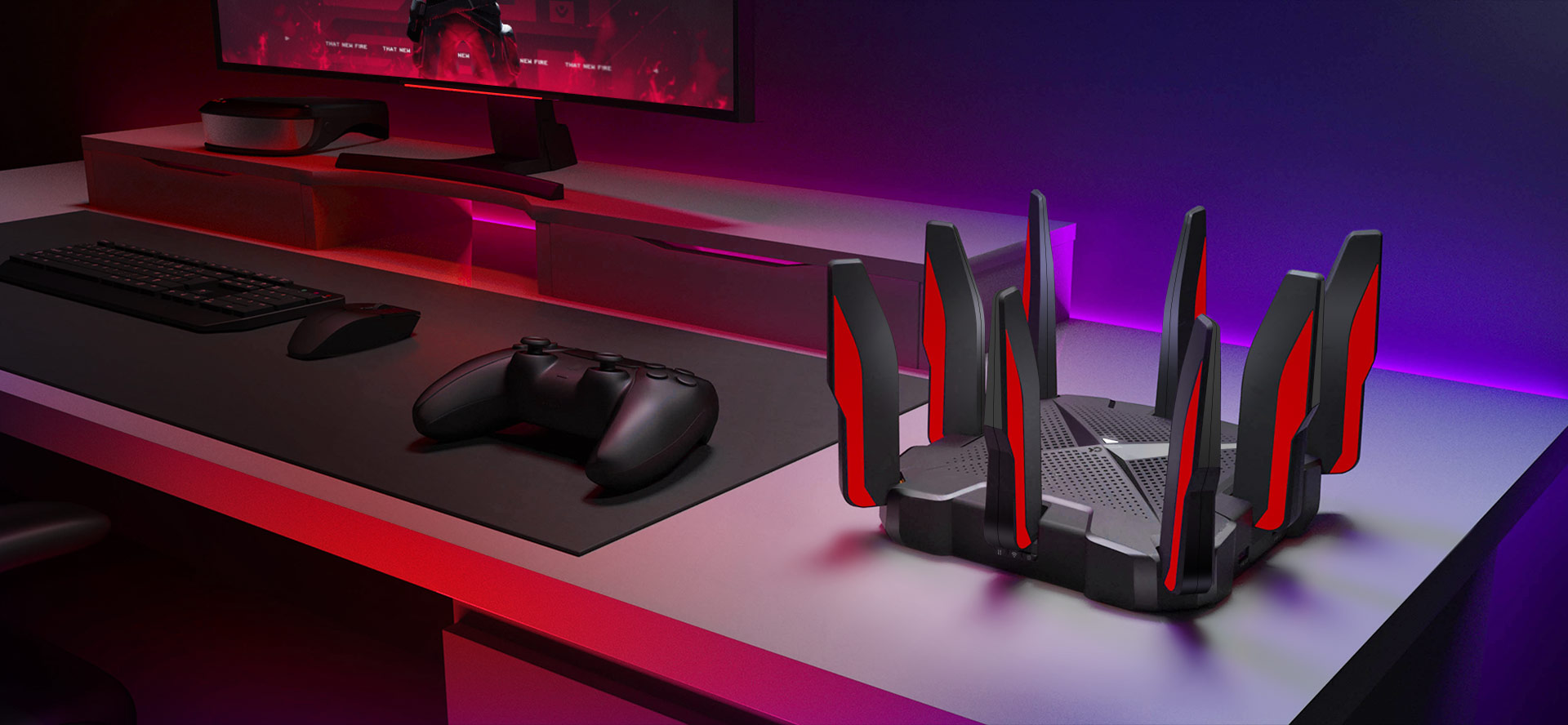
The TP-Link Archer GX90 (AX6600) is a purpose-built Wi-Fi 6 gaming router designed to eliminate interference in high-traffic households. By utilizing a tri-band architecture, it offers a dedicated 5GHz "Gaming Band" that operates independently of standard home traffic. Boasting a 2.5 Gbps wired port and robust Game Accelerator software, it bridges the gap between enthusiast performance and consumer-friendly setup. While its aggressive aesthetic and large footprint may not suit every decor, its ability to maintain ultra-low latency under load makes it a top-tier contender for serious gamers.
Pros
- Dedicated 4.8 Gbps Gaming Band prevents congestion from other devices
- 2.5 Gbps WAN/LAN port supports high-speed fiber internet and NAS
- Game Accelerator automatically detects and optimizes gaming streams
- Comprehensive "Game Center" UI provides real-time latency and resource monitoring
- OneMesh compatibility allows for easy whole-home coverage expansion
Cons
- Significant physical footprint requires substantial shelf or desk space
- Eight external antennas are fixed and cannot be replaced or repositioned
- Advanced HomeShield security features require a recurring monthly subscription
- 2.4 GHz band performance is underwhelming compared to the 5 GHz bands
- Aggressive red-and-black "gamer" aesthetic may clash with minimalist home decor
The TP-Link Archer GX90 (AX6600) is a purpose-built Wi-Fi 6 gaming router designed to eliminate interference in high-traffic households. By utilizing a tri-band architecture, it offers a dedicated 5GHz "Gaming Band" that operates independently of standard home traffic. Boasting a 2.5 Gbps wired port and robust Game Accelerator software, it bridges the gap between enthusiast performance and consumer-friendly setup. While its aggressive aesthetic and large footprint may not suit every decor, its ability to maintain ultra-low latency under load makes it a top-tier contender for serious gamers.
Design and build quality
The TP-Link Archer GX90 makes no apologies for its identity. Clad in a matte black finish with bold crimson accents, it features eight fixed antennas that stand like a crown around a square, vented chassis. The build quality is exceptionally sturdy; the plastic feels dense and the unit has significant weight, preventing it from being pulled off a desk by heavy Ethernet cables. The top surface is dominated by a lattice of vents, a necessary design choice to cool the 1.5 GHz Quad-Core processor during intense data routing. While the fixed antennas mean you can't aim them for specific directional gain, they are factory-tuned to provide a massive spherical coverage area. The inclusion of a 2.5 Gbps port alongside a dedicated 1 Gbps WAN/LAN port shows a forward-thinking approach to hardware, catering to those with high-speed fiber connections
Performance in real use
In practical testing, the GX90 shines in its ability to segregate traffic. The headline feature is the 4.8 Gbps "Gaming Band." When a PC or console is locked to this frequency, it operates in a vacuum, largely unaffected by the "Netflix effect" occurring on the secondary 5 GHz band. Real-world throughput is blistering, with near-gigabit speeds achievable in the same room and impressive retention of speed through two or three interior walls. Ping stability is the standout metric here; whereas dual-band routers often show "jitter" when multiple devices connect, the GX90 maintains a flat line in latency tests. The Game Accelerator feature effectively identifies packets from major titles like Call of Duty, League of Legends, and Valorant, ensuring they are pushed to the front of the queue
Ease of use
TP-Link has mastered the onboarding process through the Tether App. Setup takes less than five minutes, involving a simple QR code scan and a few guided steps. For power users, the "Game Center" web interface is a departure from the standard blue-and-white TP-Link UI. It offers a dashboard that looks more like a performance monitor, showing real-time CPU load, memory usage, and a "Global Latency" map. Managing connected devices is intuitive, allowing users to drag and drop devices into priority lists. The inclusion of OneMesh is a significant ease-of-use win, as it allows you to pair the GX90 with any TP-Link range extender to create a single-SSID network without the complexity of traditional mesh configurations
Reliability
Over extended periods of operation, the GX90 proves to be a "set and forget" piece of hardware. The quad-core processor handles heavy NAT tables and multiple simultaneous connections without freezing or requiring frequent reboots. Thermal management is efficient; despite the powerful internals, the router remains warm but never hot to the touch. Firmware updates are delivered seamlessly through the app, often bringing improvements to the Game Accelerator database to include newer game releases. The stability of the 5 GHz gaming band is bolstered by DFS (Dynamic Frequency Selection), which allows the router to access less-congested channels typically reserved for radar, provided you aren't located directly next to an airport
Use Cases
The GX90 is specifically tailored for the "High-Density Home." This includes households where one person might be gaming competitively while another is on a 4K Zoom call and a third is streaming UHD content. It is also an ideal choice for streamers who need to ensure their upload bit-rate remains rock-solid while gaming on the same machine. For tech enthusiasts with 2-gigabit fiber plans, the 2.5 Gbps port makes it one of the most affordable ways to actually utilize that bandwidth. Furthermore, its broad coverage makes it suitable for medium-to-large four-bedroom homes without the immediate need for a mesh system
Long term ownership feedback
Long-term users frequently praise the GX90 for its consistency. Unlike many gaming routers that suffer from "feature creep" leading to software bugs, the Archer GX90’s OS remains lean and stable. The most common feedback from those who have owned the device for over a year is the appreciation for the dedicated gaming band, which becomes indispensable once experienced. Some users have noted that while the HomeShield security is excellent, they eventually find the subscription cost a minor annoyance, though the core gaming features remain free. The physical durability of the antennas has also been noted as a plus, as they do not loosen or "droop" over time like some movable alternatives. Overall, it remains a highly recommended upgrade for anyone moving from an ISP-provided gateway or an aging Wi-Fi 5 router.
| Specification | Details |
|---|---|
| Wi-Fi Standard | Wi-Fi 6 (802.11ax) [1] |
| Wireless Speeds | 2.4GHz: 574 Mbps, 5GHz-1: 1201 Mbps, 5GHz-2: 4804 Mbps [7][8] |
| Processor | Quad-core 1.5GHz 64-bit CPU [5] |
| Antennas | 8 external high-performance antennas [5][8] |
| WAN Port | 1 × 2.5 Gbps Ethernet [8] |
| LAN Ports | 4 × Gigabit Ethernet [8] |
| USB Ports | 1 × USB 3.0, 1 × USB 2.0 [5] |
| MU-MIMO | 2×2 on 2.4GHz and first 5GHz, 4×4 on gaming band [8] |
| Channel Width | 160MHz on gaming band [7] |
| Security | WPA3, HomeCare with antivirus and parental controls [8][10] |
| Dimensions | 212 × 212 × 51.8 mm [5] |
Buy
- You live in a household with multiple heavy internet users and need a dedicated lane for gaming
- Your internet plan exceeds 1 Gbps and you require a 2.5 Gbps port to utilize the full speed
- You want a router that prioritizes gaming traffic automatically without complex manual configuration
- You are looking for a Wi-Fi 6 solution that balances high-end performance with a user-friendly mobile app
- You need a router with enough processing power (Quad-Core) to handle dozens of smart home devices simultaneously
Skip
- You prefer a discreet, minimalist design that blends into a modern living room
- You are on a strict budget and don't require specialized gaming features or tri-band capacity
- You already have a robust Wi-Fi 6 mesh system and only need a basic access point
- You are uncomfortable with paying a subscription fee for premium security and parental controls
- You have a small apartment where a standard dual-band router would provide sufficient coverage
Critic Reviews
No reviews yet.
User Reviews
No reviews yet.