Ergonomic Mice That Prioritise Wrist Health Without Sacrificing Performance
Created January 12, 2026 • Updated February 14, 2026
Vertical designs, trackballs, and sculpted shapes tackle repetitive strain differently - each with distinct learning curves, grip styles, and space requirements that matter as much as comfort itself.
Rank#01
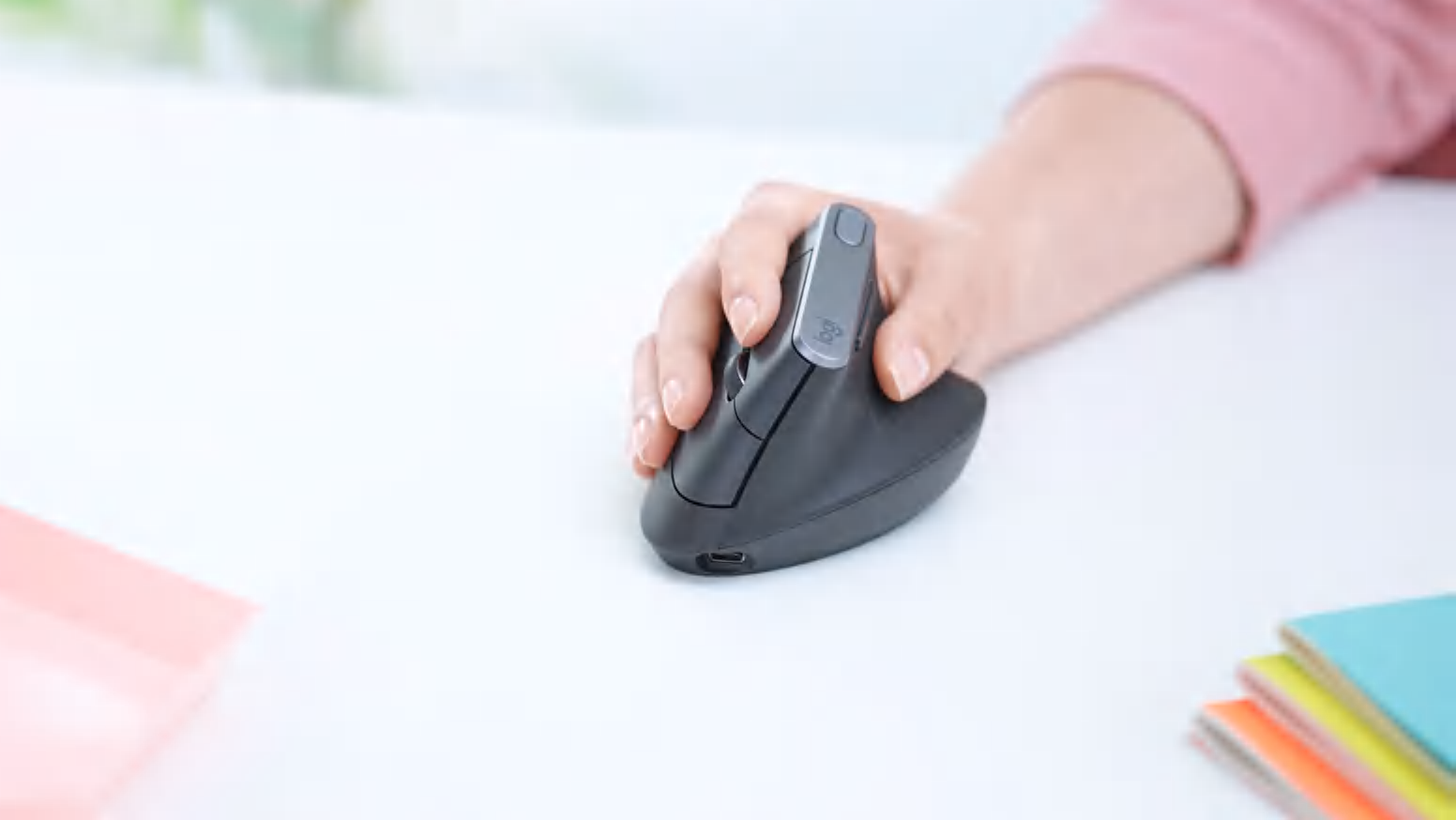
The Handshake Evolution: Why the Logitech MX Vertical Remains the Gold Standard for Ergonomics
Tired of wrist fatigue and carpal tunnel concerns? The Logitech MX Vertical promises a 57-degree "handshake" grip that aligns your arm for natural comfort. Discover why this productivity powerhouse is still the top choice for professionals in 2026.
Shrook Score
89
Generally Favorable
Shrook Score
89
Generally Favorable
Published December 31, 2025 • Updated February 8, 2026
The Logitech MX Vertical is a premium ergonomic mouse designed to reduce muscle strain and wrist pressure. Featuring a unique 57-degree tilt, high-precision 4000 DPI sensor, and seamless multi-device connectivity via Logitech Flow, it bridges the gap between medical-grade ergonomics and high-end productivity. While it lacks some of the hyper-fast scrolling features of the MX Master series, its build quality and long-term health benefits make it a staple for office environments.
Pros
57-degree vertical angle significantly reduces wrist pronation and muscle fatigue
Premium textured rubber grip provides a secure, comfortable feel for long sessions
Exceptional battery life lasting up to four months on a single USB-C charge
Logitech Flow allows seamless control and file sharing across three different computers
High-precision 4000 DPI sensor minimizes the physical hand movement required for cursor travel
Cons
Larger physical footprint makes it difficult to pack for travel or use in tight spaces
Not optimized for users with small hands who may struggle to reach the primary buttons
Lacks the "MagSpeed" electromagnetic scroll wheel found on the MX Master series
No dedicated thumb-operated horizontal scroll wheel for spreadsheet navigation
The internal battery is not user-replaceable, limiting the device's ultimate lifespan
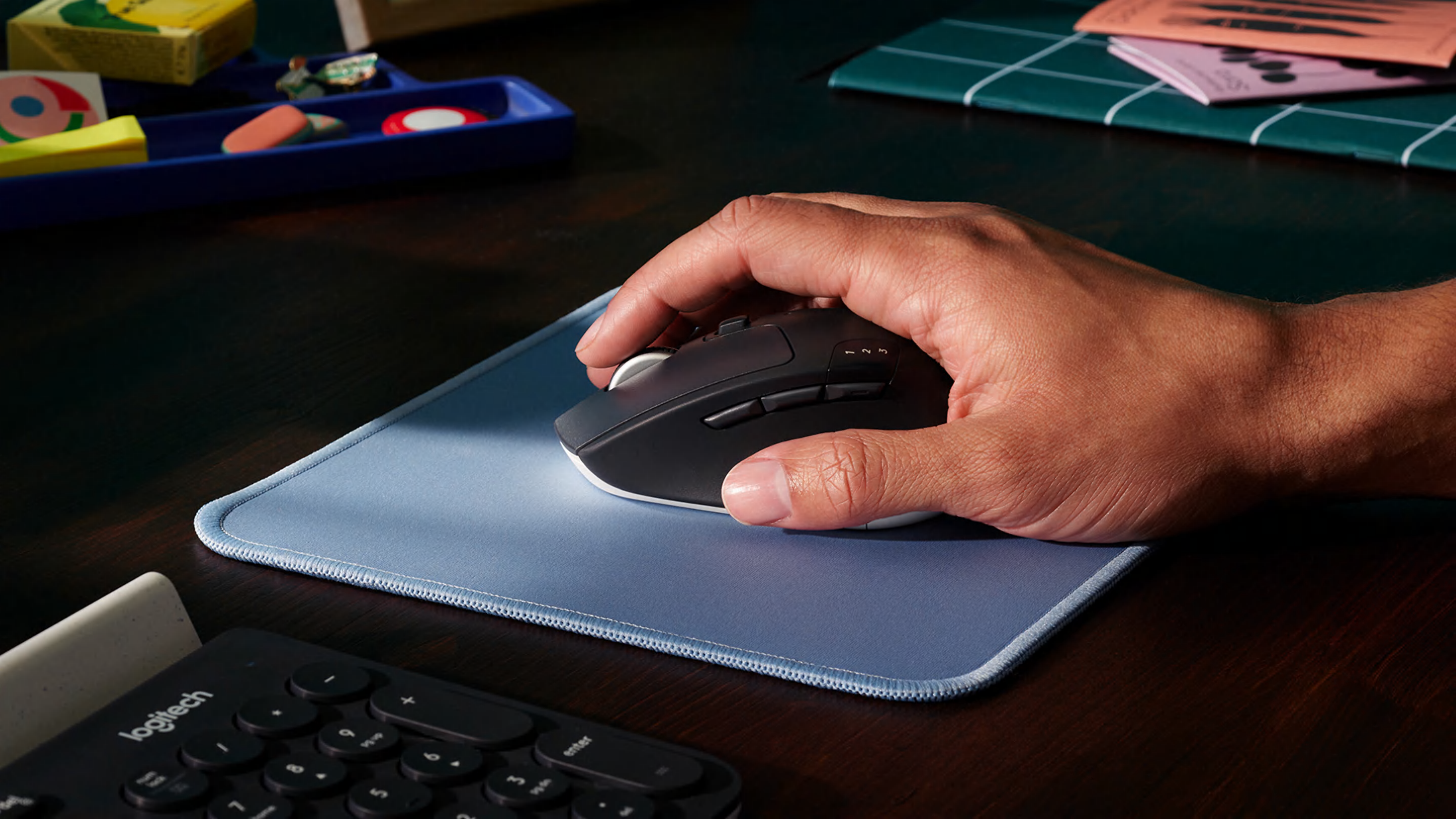
The Silent King of Productivity: Why the Logitech MX Master 3S Remains the Undisputed Desk Champion
Logitech’s flagship pointer isn't just a mouse; it’s a workflow accelerator. With 8,000 DPI tracking and near-silent clicks, find out why the MX Master 3S remains the gold standard for creators and professionals.
Shrook Score
91
Universal Acclaim
Shrook Score
91
Universal Acclaim
Published December 31, 2025 • Updated February 8, 2026
The Logitech MX Master 3S is an incremental but vital evolution of the iconic MX Master series. It retains the beloved ergonomic silhouette while introducing "Quiet Click" switches that provide tactical feedback without the noise, and an upgraded 8,000 DPI sensor capable of tracking on glass. Designed for power users, it features the MagSpeed electromagnetic scroll wheel and deep software integration via Logi Options+, making it the premier choice for multi-device workflows and precision editing.
Pros
Near-silent tactile clicks reduce office noise while maintaining a premium feel.
8,000 DPI optical sensor tracks flawlessly on nearly any surface, including glass.
MagSpeed Electromagnetic scrolling allows for pixel-precise stops and 1,000 lines-per-second speed.
Exceptional ergonomic design with a dedicated thumb rest and gesture button.
Robust multi-device connectivity via Logi Bolt and Bluetooth with Easy-Switch for three devices.
Cons
The 125Hz polling rate is unsuitable for competitive or high-refresh-rate gaming.
The right-handed-only ergonomic shape excludes left-handed users entirely.
The physical size and weight make it cumbersome for users with smaller hands or frequent travelers.
The soft-touch rubber coating is prone to wear and oil buildup over long-term use.
Heavy reliance on Logi Options+ software for full functionality can be a barrier in restricted IT environments.
The Gateway to Ergonomic Relief: A Comprehensive Review of the Anker Vertical Mouse
Is the world’s most famous budget vertical mouse still the gold standard for wrist health? We dive into the design, performance, and long-term durability of Anker’s "shark-fin" peripheral to see if it truly beats the competition.
Shrook Score
84
Generally Favorable
Shrook Score
84
Generally Favorable
Published December 31, 2025 • Updated February 8, 2026
The Anker Vertical Mouse remains one of the most recognizable entry points into the world of ergonomic peripherals. Designed to alleviate the "twisting" motion of the forearm associated with traditional flat mice, it offers a 60-degree "handshake" grip. While it lacks the high-end software suites and rechargeable batteries of premium rivals, its combination of simplicity, effective ergonomics, and reliable optical tracking makes it a staple for office workers and students seeking relief from RSI and carpal tunnel symptoms.
Pros
Unique 60-degree handshake design significantly reduces wrist and forearm strain
High-quality matte finish provides a secure, sweat-resistant grip during long sessions
Simple plug-and-play functionality requires no specialized drivers or software
Responsive DPI switching (800/1200/1600) allows for quick sensitivity adjustments
Dedicated "Next/Previous" thumb buttons enhance web browsing efficiency
Cons
Scroll wheel reliability is a common long-term failure point for heavy users
Lacks Bluetooth connectivity, requiring a dedicated 2.4G USB-A dongle
ABS plastic construction feels lightweight and "hollow" compared to premium brands
Requires two AAA batteries rather than utilizing a modern USB-C rechargeable internal cell
Sensor polling rate is insufficient for high-precision graphic design or competitive gaming
The Ergonomic Sweet Spot: A Comprehensive Review of the Logitech Lift
Say goodbye to wrist strain. The Logitech Lift brings high-end ergonomic comfort to small-and-medium-handed users, featuring a 57-degree vertical tilt and whisper-quiet performance to keep you productive without the pain.
Shrook Score
90
Universal Acclaim
Shrook Score
90
Universal Acclaim
Published December 31, 2025 • Updated February 8, 2026
The Logitech Lift is a vertical ergonomic mouse specifically engineered for users with small to medium-sized hands. By positioning the hand in a natural "handshake" posture at a 57-degree angle, it significantly reduces pressure on the wrist and forearm. It features silent click buttons, a SmartWheel for precision and speed, and dual connectivity via Bluetooth or Logi Bolt. While it lacks some of the premium metal finishes of the larger MX Vertical, its accessible design and software customization via Logi Options+ make it a top contender for office and home use.
Pros
Optimized 57-degree angle for forearm relief
Silent clicks ideal for shared workspaces
Dual connectivity (Bluetooth and Logi Bolt)
Exceptional battery life up to 24 months
Available in both right-hand and left-hand configurations
Cons
Not suitable for users with large hands
AA battery powered rather than USB-C rechargeable
Lacks the premium MagSpeed electromagnetic scroll wheel
Rubberized grip can attract dust and oils over time
Limited to 4000 DPI, which may not suit ultra-high-res gaming
The Handshake Solution: Why the J-Tech Digital V628 Remains a Budget Ergonomic Champion
Is your wrist screaming at you? The J-Tech Digital V628 offers a radical "handshake" design that prioritizes your health over flashy specs, providing a path to RSI relief without a premium price tag.
Shrook Score
83
Generally Favorable
Shrook Score
83
Generally Favorable
Published December 31, 2025 • Updated February 8, 2026
The J-Tech Digital V628 is a pioneering vertical mouse designed to combat repetitive strain injuries (RSI) and carpal tunnel syndrome. By shifting the hand into a 57-degree "handshake" position, it reduces forearm twisting. While it lacks the high-end sensors of gaming mice, its utility for office professionals and heavy computer users remains unparalleled in the budget category.
The Gold Standard of Ergonomics: Why the Evoluent VerticalMouse Remains the King of Handshake Grips
Tired of wrist pain? The Evoluent VerticalMouse D isn't just a peripheral; it’s a medical-grade solution for RSI. Discover why the original vertical pioneer still outperforms modern rivals in pure ergonomic science. #Ergonomics #HealthyTech #VerticalMouse
Shrook Score
91
Universal Acclaim
Shrook Score
91
Universal Acclaim
Published December 31, 2025 • Updated February 8, 2026
The Evoluent VerticalMouse, specifically the latest "D" series, continues to lead the ergonomic market by adhering to a strict 90-degree "handshake" posture. Unlike hybrid mice that offer a slight tilt, Evoluent focuses on total forearm de-pronation to alleviate Carpal Tunnel and repetitive strain symptoms. Featuring customizable buttons, high-quality optical sensors, and various sizes (Small, Medium, Large), it remains the preferred choice for medical professionals and power users who prioritize long-term musculoskeletal health over sleek aesthetics.
Pros
Patented 90-degree handshake position completely eliminates forearm twisting
Comprehensive driver software allows for deep button customization and macros
Available in multiple physical sizes to ensure a perfect fit for different hand dimensions
Extended bottom lip prevents the pinky finger from rubbing against the desk surface
High-grade optical sensor with dedicated top-mounted buttons for on-the-fly DPI adjustment
Cons
The industrial, high-profile design can feel bulky on smaller or cluttered desks
The software interface for button mapping feels dated compared to modern gaming suites
The wired version's cable is somewhat stiff, occasionally creating "cable drag"
Glossy plastic accents on some models are prone to collecting fingerprints and oils
Significant learning curve for users transitioning from traditional flat mice
The Desktop Anchor: Why the Logitech Ergo M575 Remains the Gold Standard for Trackball Newcomers
Say goodbye to wrist fatigue and hello to reclaimed desk space. The Logitech Ergo M575 proves that sometimes the best way to move forward is to stay perfectly still.
Shrook Score
89
Generally Favorable
Shrook Score
89
Generally Favorable
Published December 31, 2025 • Updated February 8, 2026
An in-depth exploration of the Logitech Ergo M575, highlighting its ergonomic thumb-control design, exceptional 24-month battery life, and its status as the premier entry point for users looking to alleviate Repetitive Strain Injury (RSI).
Pros
Ergonomic sculpted shape reduces forearm strain by eliminating the need to move the arm.
Exceptional battery life lasting up to 24 months on a single AA battery.
Dual connectivity options via Bluetooth Low Energy or the included USB receiver.
Stationary footprint makes it ideal for cluttered or small workspaces and uneven surfaces.
Eco-friendly construction using significant percentages of post-consumer recycled plastic.
Cons
Lacks a dedicated tilt-scroll wheel for horizontal navigation found in premium models.
The internal trackball bearings require periodic manual cleaning to maintain smoothness.
Plastic build quality feels less premium compared to the rubberized MX Ergo.
Limited customization with only two additional programmable buttons.
Right-hand only design makes it inaccessible for left-handed users.